
Buzz
Transcribe and translate recordings on your own computer, with exports to subtitle formats.
Instead of Otter.ai, cloud transcription
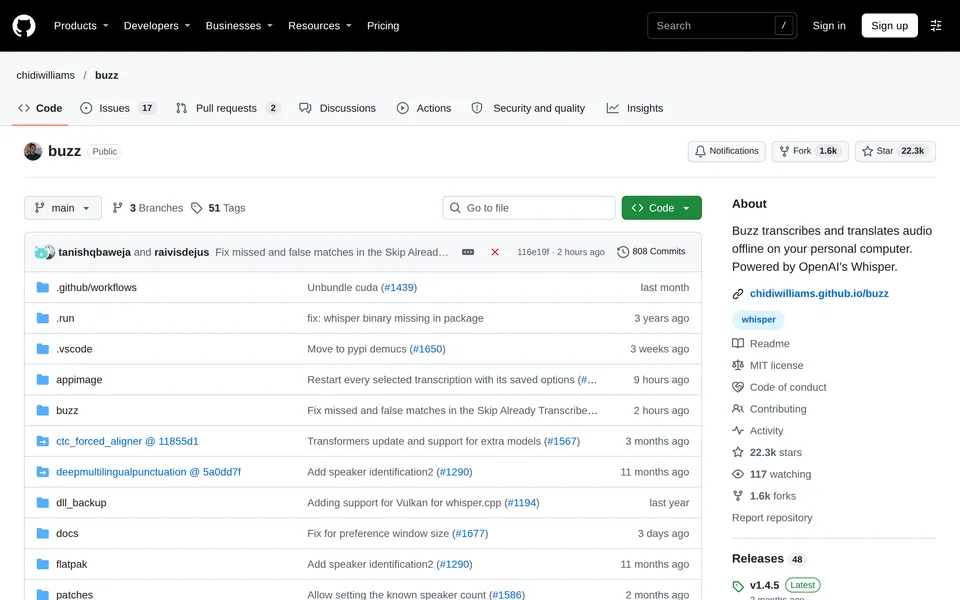
Screenshot from github.com/chidiwilliams/buzz, taken 2026-10-30, shown to help you recognise the tool. It belongs to its maker. Ask us to remove it.
A recorded interview is an hour of somebody's voice and a long evening of typing it up, and Buzz exists to shorten the evening. You drop in an audio or video file, a YouTube link or the live microphone, and it transcribes on your own computer, with speaker identification, translation and exports to TXT, SRT and VTT. It is MIT licensed and says it works offline.
Buzz scores a 5 on lock-in, a 4 on self-direction, power and delivery and a 3 on footprint and longevity.
Macs need Apple silicon now, since the last version for Intel Macs is 1.4.5, and the Windows installer is unsigned, so expect a warning. One person's repository holds it, the page names no funding and shows no release date, and Longevity is scored with that in mind.
- Transcribes audio, video and live microphone input on your own computer
- Speaker identification, translation and subtitle exports
- Newer Macs only, and one person's repository
What stands out
Do you make Buzz? Get the badge for your site
This badge reports a dated review. It is not a certification and it costs nothing. Link it to this page and leave the numbers alone: the image always shows the current score.
For dark backgrounds, use buzz-dark.svg in place of buzz-light.svg.
For comparison, we also reviewed Otter.ai (14/30) as a benchmark.
Other tools for “turn speech into text without sending it away”
 HandyPress a shortcut, speak, and the words appear in whatever app you are using, transcribed on your own computer.
 VibeLocal audio and video transcription with batch jobs, speaker labels and a long list of export formats.
 Speech NoteNotes you dictate, read aloud and translate, all processed on a Linux desktop with no network connection.
 VoiceInkA Mac dictation app with local models, free to build from source and paid if you want the ready-made download.